

Cursor vs Bolt vs Lovable vs Replit: Which Vibe Coding Tool Is Right for You? (2026)
Cursor vs Bolt vs Lovable vs Replit: Which Vibe Coding Tool Is Right for You? (2026)
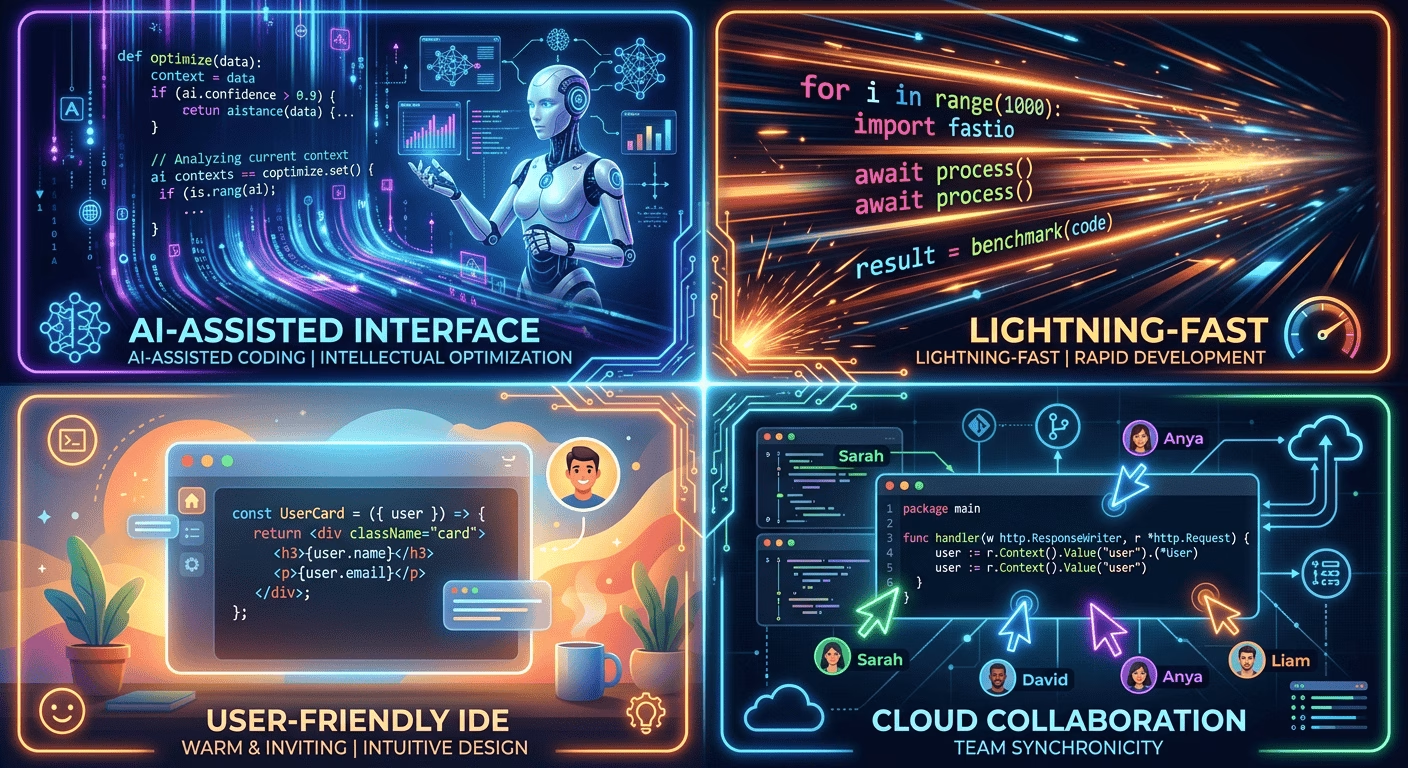
The vibe coding tool landscape in 2026 is crowded and confusing. Cursor, Bolt, Loable, and Replit are the four names that come up most often — but they are not versions of the same product. They represent genuinely different approaches to who builds software, how much of the code you touch, and what happens after the prototype works.
At Beesoul, we have reviewed over 600 codebases — and since vibe coding went mainstream in 2025, the majority of what we see was built with one of these four tools. We know exactly how each one behaves in production, where each one breaks, and which type of founder gets the best results from each. This is not a marketing comparison. It is a field report.
Bottom line up front: Lovable for non-technical founders who need the fastest path to a working MVP. Bolt for developers who want full-stack speed without leaving the browser. Cursor for developers building something they intend to maintain and scale. Replit for beginners learning to code or teams who want one integrated cloud environment. Most serious products end up using two of these in sequence — Lovable or Bolt first, Cursor second.
The quick comparison
| Lovable | Bolt | Cursor | Replit | |
| Best for | Non-technical founders | Developers prototyping fast | Developers building to scale | Beginners + cloud teams |
| Technical level required | None | Some | Intermediate to advanced | Beginner friendly |
| Default stack | React + Supabase | Multi-framework | Any (your choice) | Multi-language |
| Hosting included | Yes | Yes (Bolt Cloud) | No — you deploy | Yes |
| Code ownership | Full | Full | Full | Full |
| Production readiness | Needs audit | Needs audit | Better, still needs review | Needs audit |
| Price from | $25/month | Free tier | $20/month | $20/month |
| Lock-in risk | High (Supabase) | Medium | Low | Medium |
Lovable
What it is
Lovable is an AI app builder that generates full-stack applications from natural language descriptions. You describe what you want — a SaaS dashboard, a booking tool, a marketplace — and Lovable produces React frontend code connected to a Supabase backend, deployed and accessible via a URL within minutes. No terminal. No local setup. No configuration.
It is the closest thing to a complete “idea to working app” experience that exists in 2026, and it genuinely delivers on that promise for the right use case.
Who it is for
- Founders with no technical background who want to validate an idea quickly
- Product managers who need a prototype to show stakeholders or investors
- Consultants building client-facing tools for internal use
- Anyone at the “is this worth building?” stage of a product
What it does well
- Fastest path from idea to deployed, working app — genuinely measured in hours for simple products
- Beautiful UI output by default — shadcn/ui components, proper loading states, responsive layouts
- Built-in Stripe and Supabase integrations that work without manual configuration
- Visual editing mode so you can adjust designs without touching prompts
- GitHub export so a developer can take over the codebase later
Where it breaks down
- Supabase row-level security is the most common critical vulnerability we find in Lovable-generated apps — roughly 70% of audits show incomplete or disabled RLS
- Stack lock-in is real: the entire data layer is coupled to Supabase. Migrating to a different database later requires significant rewriting
- Complex business logic — multi-step workflows, conditional pricing, enterprise integrations — degrades quickly when iterated through prompts
- Credit-based pricing means heavy iteration can become expensive, especially during a complex feature build
- Lovable makes all architectural decisions for you, without explaining them. You own the code but may not understand the decisions embedded in it
Production readiness verdict
Lovable: Fast and impressive for validation. Not production-ready without a security and architecture review. The RLS, payment webhook, and soft-delete issues are almost guaranteed to be present.
Pricing
Free tier with limited credits. Pro at $25/month. Business at $50/month. Credit add-ons available — costs can escalate during heavy iteration on complex features.
Bolt
What it is
Bolt (bolt.new) is a browser-based AI development environment built on StackBlitz’s WebContainers technology, which compiles Node.js to WebAssembly and runs it entirely in the browser. You get a working full-stack app, a live preview, and a code editor — all in one browser tab, with no local installation required. Since Bolt Cloud launched in August 2025, deployment has become more integrated.
Who it is for
- Developers who want AI-assisted scaffolding without giving up code visibility
- Technical founders who want to prototype quickly but still understand what was built
- Teams experimenting with frameworks — Bolt supports Vue, Svelte, and others, not just React
- Anyone who wants faster output than Cursor but more code control than Lovable
What it does well
- Fastest raw prototype speed — Bolt is consistently the quickest path from prompt to working preview for developers
- Framework flexibility: React, Vue, Svelte, vanilla JS — you are not locked into one stack
- No local installation — the entire environment runs in the browser, zero setup friction
- More code transparency than Lovable — you see and can edit the generated files directly
- Strong for UI-heavy apps and dashboards where the frontend is the main deliverable
Where it breaks down
- Backend and database setup still requires external services — Bolt does not provision a database for you by default
- Complex stateful applications that require real-time features, job queues, or background processing hit limits quickly
- Production deployment was historically manual — Bolt Cloud improves this but is still maturing
- Same security issues as other vibe tools: authentication, RLS, and webhook handling need manual review
- Heavy iteration on large prompts burns through credits faster than expected
Production readiness verdict
Bolt: Better code transparency than Lovable — developers can see and understand what was generated. But the same security gaps apply. Backend configuration is more manual, which means more decisions are yours to make correctly.
Pricing
Free tier with limited daily tokens. Pro plans start at approximately $20/month. Usage-based pricing means active prototyping sessions can consume credits faster than expected on complex projects.
Cursor
What it is
Cursor is an AI-native code editor — a fork of VS Code with AI woven into every part of the development experience. It does not generate apps from scratch the way Lovable or Bolt do. Instead, it accelerates existing development workflows: tab completion that understands your codebase, a chat interface that can make multi-file edits, and an agent mode that can execute longer tasks autonomously. You still write and review code. Cursor just makes you dramatically faster at it.
Who it is for
- Developers who already know how to code and want an AI force multiplier
- Teams taking over a vibe-coded codebase and hardening it for production
- Founders who are technical enough to use a traditional IDE and want to build something maintainable
- Anyone who wants deep codebase understanding — Cursor reads the full context of your project, not just the current file
What it does well
- Best-in-class multi-file editing — you describe a change and Cursor implements it across the entire codebase correctly
- Full VS Code ecosystem: every extension, every debugger, every language server works exactly as expected
- Agent mode for longer autonomous tasks — runs tests, installs dependencies, fixes build errors
- Your choice of AI model — Claude, GPT-4, and others available depending on subscription tier
- No stack lock-in — you choose every technology, you deploy however you want, you own every decision
- Code quality is higher because a developer is reviewing and guiding every output
Where it breaks down
- Steep learning curve for non-developers — Cursor amplifies developer productivity but does not replace the need for development knowledge
- No built-in hosting or database — you are responsible for the entire deployment stack
- Slower initial app creation than Lovable or Bolt — the first working prototype takes longer
- AI-generated code still needs security review — Cursor reduces but does not eliminate the standard vibe coding vulnerabilities
- Cost adds up if you rely heavily on premium models — heavy Claude or GPT-4 usage can push monthly costs well above the base subscription
Production readiness verdict
Cursor: The closest to production-ready of the four tools — because a developer is making the decisions. But ‘closer’ is not ‘ready’. Security review, performance testing, and compliance checking are still required before launch.
Pricing
Hobby plan free with limited usage. Pro at $20/month with generous usage limits. Business plans available for teams. Premium model usage is metered separately — heavy use of Claude or GPT-4 can exceed base plan allowances.
Replit
What it is
Replit is a cloud IDE that combines a code editor, AI agent, hosting, and database in a single browser-based environment. You never install anything locally — everything runs on Replit’s servers. The Replit Agent feature lets you describe what you want and it builds autonomously, handling architecture decisions, dependency installation, database setup, and deployment. It is the most self-contained of the four tools.
Who it is for
- Beginners and students learning to code — the Replit environment is designed for approachability
- Small teams who want everything in one place without managing multiple services
- Builders who want AI assistance alongside a real code editor — not just prompt-to-output
- Developers who need instant public URLs without setting up deployment infrastructure
What it does well
- All-in-one environment: code, database, hosting, and AI in a single platform — zero infrastructure decisions
- Instant deployment with a public URL — the most frictionless path to a shareable link
- Excellent for learning — the environment explains what is happening and is designed to be approachable
- Strong collaboration features — multiple people can work in the same environment simultaneously
- Replit Agent is the most autonomous builder of the four — it plans architecture, installs dependencies, and deploys without prompting
Where it breaks down
- Significant platform lock-in — your code, database, and deployment all live on Replit’s infrastructure, making migration complex
- Performance limits at scale — Replit’s free and lower-tier infrastructure is not designed for production traffic
- Effort-based pricing for the Agent is unpredictable — complex tasks can cost significantly more than expected
- Less codebase control than Cursor — the Agent makes decisions autonomously that can be difficult to inspect or override
- Same security issues as other vibe tools — authentication, RLS, and webhook handling require manual review regardless of platform
Production readiness verdict
Replit: Great for learning and prototyping. The all-in-one approach creates real lock-in that is expensive to escape. Not recommended as a long-term production platform for anything with serious scale or compliance requirements.
Pricing
Core plan at $20/month. Replit uses effort-based pricing for Agent tasks — complex builds scale in cost with task complexity. Active Agent users typically spend $50–150/month in practice. Team and enterprise plans available.
Head-to-head: the categories that matter most
Speed from idea to working app
| Tool | Time to working app | Notes |
| Lovable | 2–4 hours | Fastest for non-developers. UI and backend in one flow. |
| Bolt | 1–3 hours | Fastest for developers. Prototype speed is exceptional. |
| Cursor | 1–3 days | Slower start but developer controls the architecture from day one. |
| Replit | 2–6 hours | Agent is fast; environment setup adds some friction on complex apps. |
Production security risk
| Tool | Risk level | Most common issue we find |
| Lovable | High | RLS disabled or incomplete on Supabase tables |
| Bolt | High | Backend configuration left to developer — often done incorrectly |
| Cursor | Medium | Developer makes more conscious decisions but still needs security review |
| Replit | High | Agent makes autonomous decisions that are hard to audit after the fact |
Stack flexibility and long-term escape cost
| Tool | Lock-in level | Migration difficulty |
| Lovable | High | React + Supabase hardwired throughout. Data migration is significant. |
| Bolt | Medium | Framework flexible, but deployment tied to Bolt Cloud if used. |
| Cursor | None | You chose the stack. You can change it the same way. |
| Replit | High | Code, DB, and hosting all on Replit. Full migration to another host is a project. |
The workflow that actually works in 2026
Most successful vibe-coded products in 2026 are not built with a single tool. They follow a two-phase workflow:
Phase 1 — Validate fast: Use Lovable or Bolt to get something in front of users within days. Treat this as a disposable prototype. Show it, get feedback, see if people are interested enough to pay. Spend as little as $25–100 in tool costs.
Phase 2 — Harden for production: Once you have validated the idea, bring in a development team to audit the codebase, fix the security and architecture issues, and migrate the product to a maintainable stack. This is the moment to move to Cursor as the primary development environment, or to hand off to a team who will.
Trying to skip Phase 2 is the most common and most expensive mistake founders make with vibe coding. The cost of fixing a data breach, rebuilding user trust after a production incident, or doing a forced rewrite because the architecture cannot scale — all of these are significantly higher than the cost of a pre-launch audit.
Beesoul’s role: We are the team you bring in between Phase 1 and Phase 2. We audit the vibe-coded codebase — regardless of which tool built it — fix the critical findings, and either hand it back to you production-ready or continue as your development team. Book a free discovery call at beesoul.co.
Which tool should you use?
Use this decision framework:
| Your situation | Best tool |
| Non-technical founder, need an MVP this week | Lovable |
| Developer, want to prototype fast without leaving the browser | Bolt |
| Developer, building something you plan to maintain for 2+ years | Cursor |
| Beginner learning to code while building | Replit |
| Need to take a Lovable/Bolt prototype to production | Cursor + Beesoul audit |
| Technical team, need deep AI assistance on existing codebase | Cursor |
| Solo founder, want everything in one place, okay with lock-in | Replit |
Frequently Asked Questions (FAQ)
Vibe coding means building software applications using AI tools by describing what you want in plain language, without writing traditional code.
Vibe coding produces real, functional code that you own and can modify. It is different from no-code tools because you get actual source files.
Yes — but not without review. Many funded startups launched with largely AI-generated codebases. The requirement is a systematic security and architecture review before real users and real data are involved.
The most reliable way is a professional vibe code audit. You can also run a self-check: try to access another user’s data while logged into a test account, verify your payment webhook is server-side, and search your codebase for hardcoded credentials.
The severity varies by tool. Lovable and Bolt generate more autonomous decisions, while Cursor and Windsurf are used by developers who better understand the code. The safest assumption is that any AI-generated codebase needs review before production.
Most critical issues can be resolved in 1–3 developer days each. A full remediation pass on a typical MVP takes 2–4 weeks.
Testing checks whether the app works. A vibe code audit checks whether it is safe and scalable. Many vulnerabilities only appear under malicious use, failures, or high load conditions.
Lovable is the most beginner-friendly for founders who want to build a product — no coding knowledge required. Replit is the most beginner-friendly for anyone who wants to learn to code while building, because the environment is designed for approachability and includes explanations alongside the AI outputs.
Yes — Lovable exports to GitHub, so your codebase can be opened in Cursor. A senior developer should review the architecture before treating it as a foundation for long-term development. A vibe code audit is the right starting point for this transition.
They solve different problems. Cursor is better for developers building something maintainable and scalable. Lovable is better for non-technical founders who need a working product fast.
Cursor produces the most production-ready code because a developer makes conscious decisions throughout the build. AI-generated code from any tool still requires security review before launch.
No. Beesoul audits codebases generated by Lovable, Bolt, Cursor, Replit, and any combination. The audit process is the same regardless of origin.
Both Lovable and Bolt export real source code that you own. Scaling issues are usually architectural (query efficiency, indexes, RLS completeness), not the tool itself — all fixable with a targeted architecture review.
The bottom line
Cursor, Bolt, Lovable, and Replit are all legitimate tools with real use cases. None of them is universally the best. The right tool depends on your technical level, your timeline, and how seriously you take production readiness.
If you are a non-technical founder, start with Lovable. If you are a developer who wants to prototype fast, start with Bolt. If you are a developer building for scale, use Cursor. If you are learning, use Replit.
And when the prototype is ready for real users — regardless of which tool built it — book a free discovery call with Beesoul. We will tell you exactly what needs to happen before launch, and how long it will take.

Related articles

What Is Vibe Coding? A Complete Guide for Founders (2026)
Vibe coding is the practice of building software applications by describing what you want in plain language, and letting an...

Vibe Code Audit: What We Check Before We Touch Your Codebase
If you have built an app with Lovable, Bolt, Cursor, Replit, or any other AI coding tool, there is a...

Why Your Vibe-Coded App Will Fail in Production (And How to Fix It)
You built it fast. It looks great in the demo. Your test users are excited. And then you open it...

Ready to Ship Your Vibe Coded App?
You've already done the hard part — validating your idea and building something that works. Let's turn it into a product your users can trust and your business can scale.