

Tips to Rank in Google’s AI Overviews
Tips to Rank in Google’s AI Overviews

Google’s AI Overviews, launched on May 14th, 2024, are popular right now because of its controversies regarding “putting AI-generated content” and “content scraping.” By adding artificial intelligence to its search results, Google is attempting to improve its search capabilities with this upgrade.
Since AI Overviews are now fully functional, you might notice that the experience differs from the previous testing stage. This change represents a significant advancement in creating and displaying search results.
People are concerned that AI overviews will affect their traffic and user conversions. Before discussing its negative or controversial aspects, Let’s understand what AI Overviews are all about. This post will explain what AI Overviews are, how to rank in Google’s AI overviews, what you can do to improve your website’s visibility in organic searches, and their effect on the web.
What Is Google’s AI Overview?
Google’s AI Overview is a new search page experience that uses generative AI to respond to queries. The feature is generally about simplifying web page content and answering queries exactly.
Search Generative Experience (SGE) was in testing in 2023 and was officially introduced as AI Overviews in May 2024. It appears above the regular organic search results and consists of three essential parts:
- AI-generated response to your inquiry
- Link to pages for further information.
- Dropdowns to sources that support the information in the response.
This arrangement provides a rapid, trustworthy information summary while allowing for further investigation via connected material.
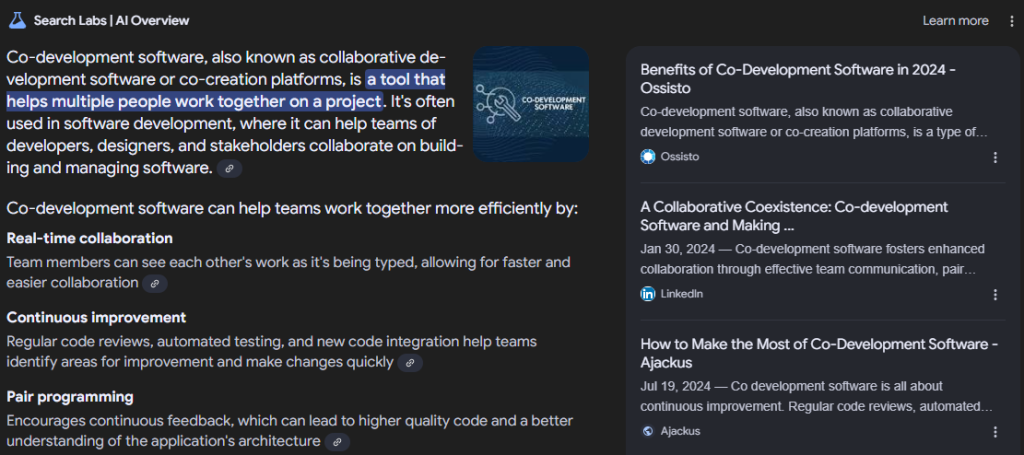
Which Queries Display Search Labs | AI Overview Result?
AI Overview results appear in different types depending on your search query.
Sometimes, you’ll find an AI Overviews panel with a link to Show more buttons:
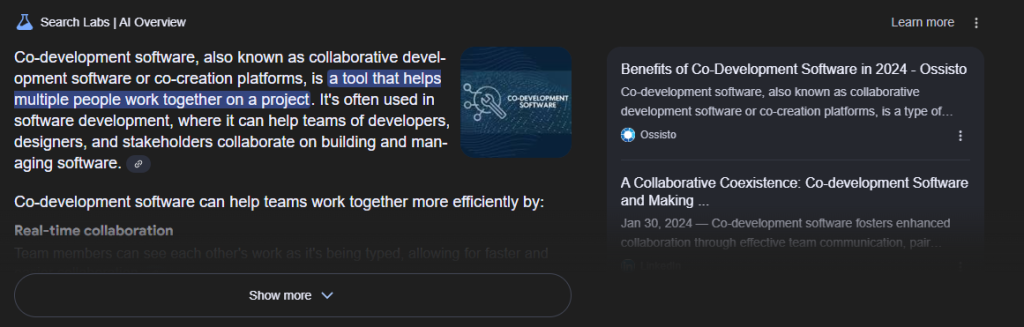
This setup seems to be the current standard.
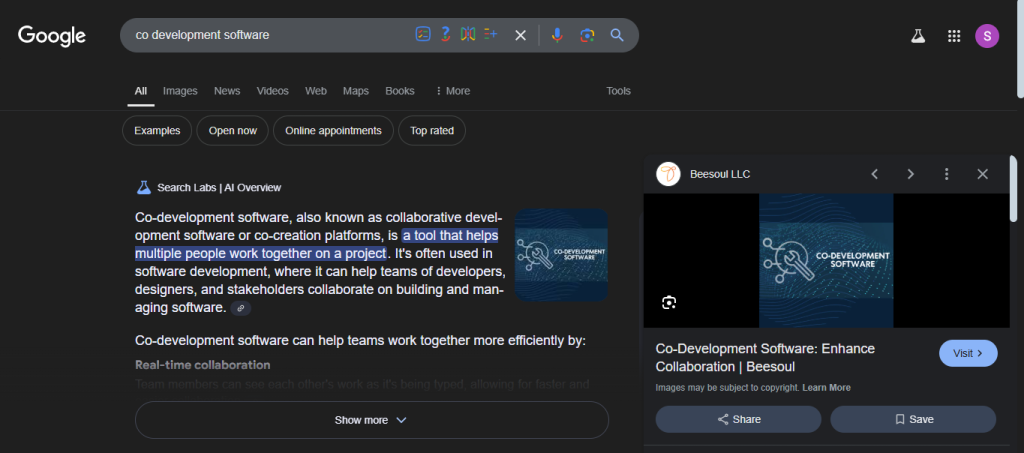
- Default AI Overviews: The AI Overviews panel appears automatically for some questions. Google has included our co-development software blog’s image as the image part of the AI overview.
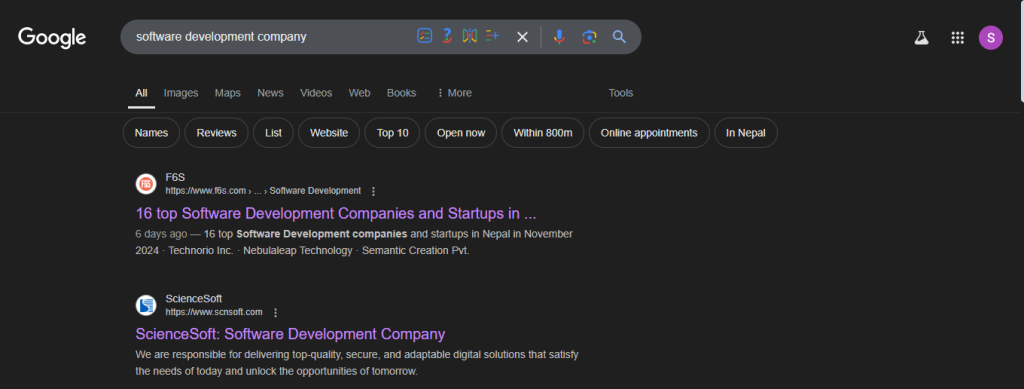
- No AI Overview Option: In certain cases, Google chooses not to provide an AI Overview. Although the old system sometimes generates these results, an option to create one might be missing.
How to Optimize for Visibility
Getting noticed in Google’s AI Overviews isn’t just about having a great website—it’s about standing out in a sea of content. Here’s how you can optimize your site and snag a spot in those coveted AI results (hint: it starts with a strong SEO game).
Step 1: Build a Rock-Solid SEO Foundation
Think of this as your website’s “training montage.” You’ve got a head start if you’re already crushing it in organic search.
Backlinks from reputable websites that are important to your content should be included on your website. These links let Google know that your material is important and reliable. High-quality material: Write useful and well-written material. Good content draws people in and makes other websites want to link to it. Ensure that your website is both aesthetically pleasing and simple to use. Give top priority to aspects that improve the user experience, such as a clear layout, and responsive design.
You need to :
- Regularly Update Content
- Keep your website’s content fresh, accurate, and relevant.
- Regular updates signal to search engines that your site remains active and valuable.
- Address current trends, user queries, and emerging topics.
- Optimize Metadata
- Use precise, relevant keywords in your titles and meta descriptions.
- Align metadata with user search intent to increase visibility.
- Craft compelling, click-worthy descriptions to improve CTR (Click-Through Rates).
- Focus on Engagement
- Add interactive elements like polls, quizzes, or comments to boost user activity.
- Use multimedia (videos, infographics) to keep users engaged longer.
- Encourage social sharing and user feedback to enhance overall engagement metrics.
But here’s the catch: a strong foundation alone won’t guarantee you a spot in AI Overviews. Even if you’re ranking high in organic results, Google’s AI has its own rules.
Step 2: Be Clear and Concise
Use Short Sentences
- Keep sentences concise and to the point.
- Avoid complex structures and unnecessary fluff.
- Aim for clarity to ensure readers (and AI) quickly grasp your message.
- Short sentences align with AI’s preference for direct answers.
- Improves readability for users scanning your content.
Avoid Jargon
- Use plain language that’s easy for a broad audience to understand.
- Replace technical terms with simpler alternatives whenever possible.
- Make your content accessible to users unfamiliar with industry-specific terms.
- Jargon-free content is more likely to be highlighted by AI.
- Improves user trust and engagement by being relatable.
Highlight Single Ideas
- Focus on one idea per paragraph for clarity.
- Avoid overwhelming users with multiple concepts at once.
- Use bold text to tell the AI that some words are important.
- Makes it easier for AI to extract relevant snippets.
- Enhances the overall user experience with a clean structure.
Use Lists or Bullet Points
- Break down complex topics into bulleted or numbered lists.
- Helps readers quickly absorb essential details.
- AI often prefers content that’s structured in an easy-to-skim format.
- Lists make your content visually appealing and organized.
Incorporate Tables for Data
- Simplify data-heavy content by presenting it in tables.
- Tables are excellent for comparisons or summarizing key information.
- Ensure tables are well-labeled and easy to interpret.
- Aligns with AI’s preference for organized, digestible information.
- Enhances user comprehension and engagement.
Step 3: Quickly Delivering Key Points to Users
Summarize Upfront
- Place a clear summary or answer near the top of your webpage.
- Ensure it directly addresses the user’s query.
Optimize the Opening Paragraph
- Provide concise and relevant information in the introduction.
- Be Clear and direct to capture AI’s attention.
Reorganize Content When Necessary
- Adjust or remove overshadowing sections to prioritize your main points.
- Ensure the introduction remains the focal area for key information.
Focus on User Needs
- Deliver essential information quickly to reduce user effort.
- Improve rankings by being concise, relevant, and direct.
Step 4: Use Google Search Console to Update Changes
Reindex your website after the changes through the Google Search Console URL indexing tool. After optimizing correctly and following the above steps, your site can appear in AI Overview.
Final Thoughts on How to Rank in Google’s AI Overviews
While trying to affect AI Overviews’ ranks, use the process above. Although ranking highly is difficult, this is a simple approach you may use. This method may work for you, but it worked for me. Pay attention to factors like the length of your material, the quantity and caliber of inbound links, the website’s authority, and the speed at which your pages load. Including images and webpage load time might be helpful as well. In the end, effective content organization is crucial, in addition to conventional SEO techniques.
Frequently Asked Questions
It’s all about giving Google what it loves—top-notch content, user engagement, and direct answers to questions. Nail this, and your website skyrockets up the rankings. Google’s AI rewards value, so focus on being the ultimate crowd-pleaser!
Think like your audience: what do they want to know? Craft snappy, keyword-rich content that answers their burning questions. Add structured data and clear headings, and boom—you’re the snippet superstar.
Machine learning is Google’s secret sauce—it figures out what users love and tunes results to match. Stay ahead by keeping your content fresh, trendy, and laser-focused on your audience’s needs. No slacking allowed!
Here’s the playbook: crush it with targeted keywords, speedy loading times, and killer mobile-friendliness. Oh, and don’t forget to keep the content game strong—your audience (and Google) will thank you!
Google’s AI has taste—it’s all about relevance, accuracy, and engagement. If your content is fresh, valuable, and speaks to users like a pro, you’re golden. For SEO, aim for smart, sleek, and sensational.
Be the answer your audience is searching for! Use snazzy keywords, make navigation effortless, and ensure your site plays nice on mobile. Keep the content fresh, fabulous, and oh-so-clickable.

Related articles

How to Create a Personal Website for College Apps Reddit:2025 Guide
Why a Personal Website Matters for College Applications A personal website can be a game-changer for your college application. It...

Top Strategies for a Professional Looking Website, Reddit-Approved:2025
Introduction: Why a Professional-Looking Website Matters? A professional looking website, Reddit users often emphasize, is essential for credibility and success....

Web Design for Small Businesses: The Complete Growth Guide
Introduction In today’s digital world, having a strong online presence is no longer optional, it’s a necessity. For small businesses,...

Ready to Ship Your Vibe Coded App?
You've already done the hard part — validating your idea and building something that works. Let's turn it into a product your users can trust and your business can scale.